
Pyramid Decomposition#
This example demonstrates how to use the pyramid decomposition (reduce & expand) in 1D and 2D.
Imports#
import numpy as np
import matplotlib.pyplot as plt

# For downloading and handling the image
from urllib.request import urlopen
from PIL import Image

# Pyramid decomposition utilities
from splineops.multiscale.pyramid import (
    get_pyramid_filter,
    reduce_1d,
    expand_1d,
    reduce_2d,
    expand_2d,
)
1D Pyramid Decomposition#
Here is a 1D examples that involves data of length 10. We do a pyramid reduce-then-expand.
x = np.array([0.0, 1.0, 2.0, 3.0, 2.0, 1.0, 0.0, -2.0, -4.0, -6.0], dtype=np.float64)

filter_name = "Centered Spline"
order = 3
g, h, is_centered = get_pyramid_filter(filter_name, order)

reduced = reduce_1d(x, g, is_centered)
expanded = expand_1d(reduced, h, is_centered)
error = expanded - x

print("[1D Pyramid Test]")
print(f"Filter: '{filter_name}' (order={order}), is_centered={is_centered}")
print("Input   x:", x)
print("Reduced   :", reduced)
print("Expanded  :", expanded)
print("Error     :", error)

fig, axs = plt.subplots(nrows=3, ncols=1, figsize=(8, 6))
axs[0].plot(x, "o-", label="Input")
axs[0].set_title("1D Input Signal")
axs[0].legend()

axs[1].plot(reduced, "o--", color="r", label="Reduced")
axs[1].set_title("Reduced (Half-Size)")
axs[1].legend()

axs[2].plot(expanded, "o--", color="g", label="Expanded")
axs[2].plot(x, "o-", color="k", alpha=0.3, label="Original")
axs[2].set_title(f"Expanded vs Original (Error max={np.abs(error).max():.3g})")
axs[2].legend()

plt.tight_layout()
plt.show()
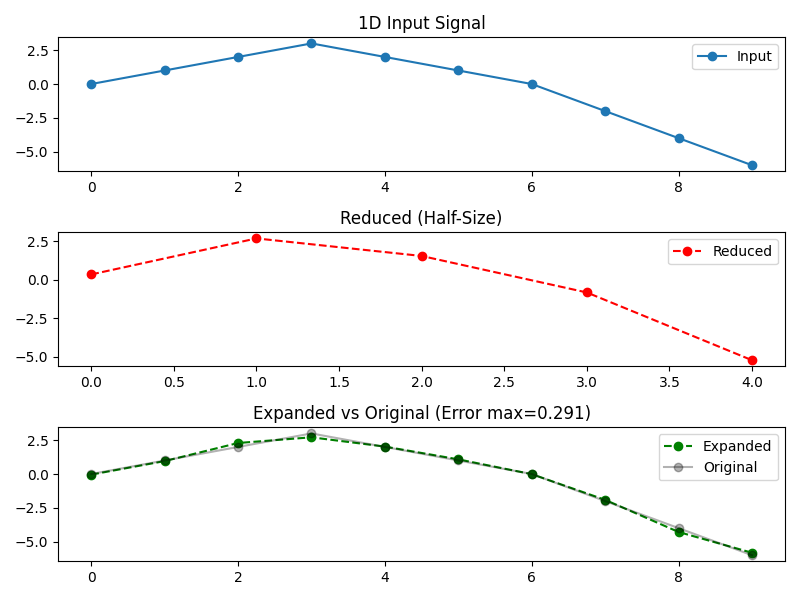
[1D Pyramid Test]
Filter: 'Centered Spline' (order=3), is_centered=True
Input   x: [ 0.  1.  2.  3.  2.  1.  0. -2. -4. -6.]
Reduced   : [ 0.34065843  2.68175207  1.54133046 -0.83042701 -5.23331582]
Expanded  : [-0.04459776  0.95501393  2.29130194  2.71324125  2.02602713  1.08397035
 -0.01051075 -1.9097665  -4.28487695 -5.81974832]
Error     : [-0.04459776 -0.04498607  0.29130194 -0.28675875  0.02602713  0.08397035
 -0.01051075  0.0902335  -0.28487695  0.18025168]
Load and Normalize a 2D Image#
Here, we load an example image from an online repository. We convert it to grayscale in [0,1].
url = "https://r0k.us/graphics/kodak/kodak/kodim07.png"
with urlopen(url, timeout=10) as resp:
    img = Image.open(resp)

# Convert to numpy float64
image_color = np.array(img, dtype=np.float64)

# Normalize to [0,1]
image_color /= 255.0

# Convert to grayscale using standard weights
image_gray = (
    image_color[:, :, 0] * 0.2989
    + image_color[:, :, 1] * 0.5870
    + image_color[:, :, 2] * 0.1140
)

ny, nx = image_gray.shape
print(f"Downloaded image shape = {ny} x {nx}")

# Choose a base width in inches and match the figure height to the image aspect
base_width = 8.0
figsize = (base_width, base_width * ny / nx)

# Plot the original grayscale image
plt.figure(figsize=figsize)
plt.imshow(image_gray, cmap="gray", interpolation="nearest", vmin=0, vmax=1)
plt.title("Original Grayscale Image", fontsize=14)
plt.axis("off")
plt.tight_layout()
plt.show()
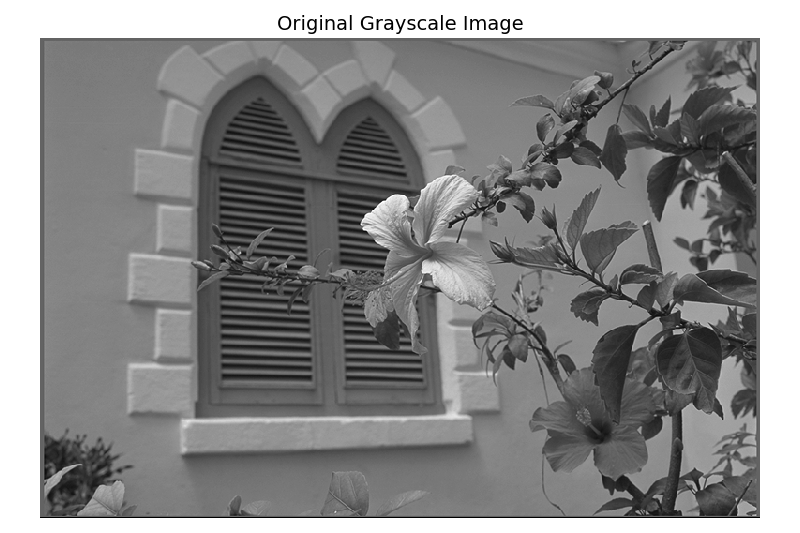
Downloaded image shape = 512 x 768
2D Pyramid Decomposition#
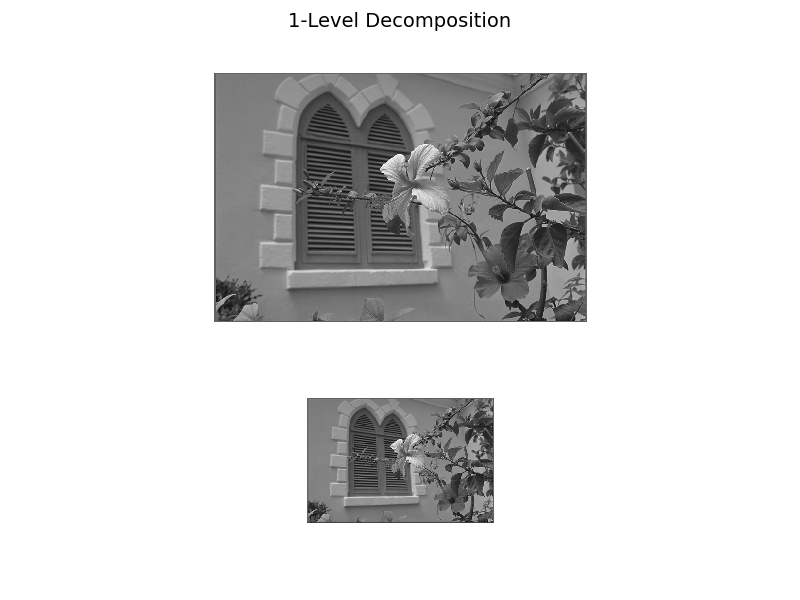
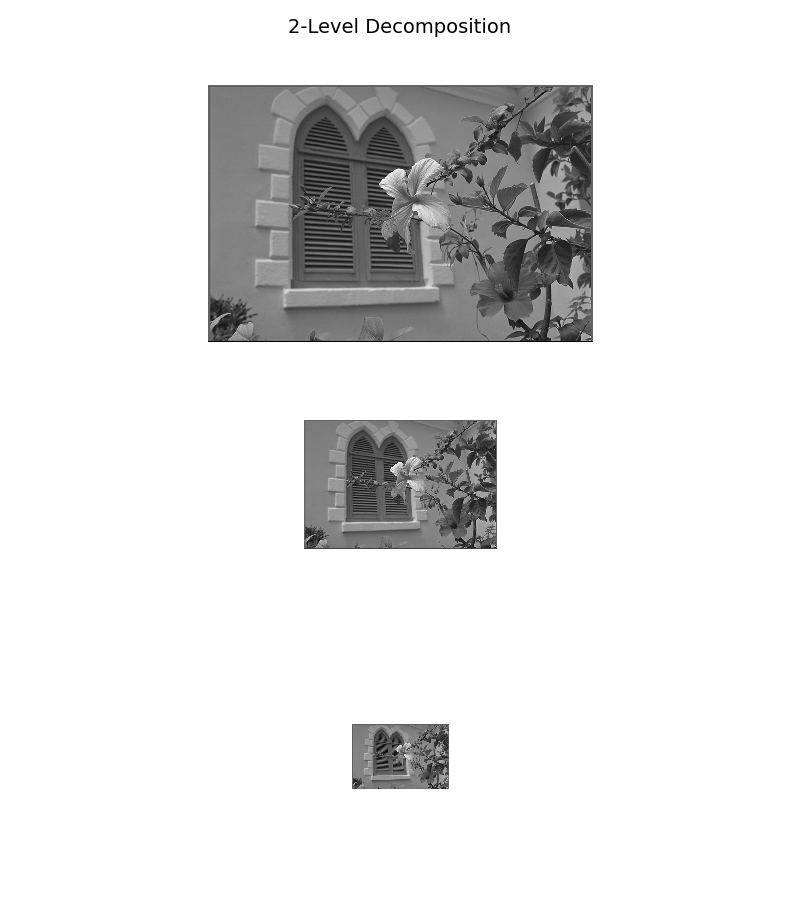
Reduce and expand the input image using spline pyramid decomposition.
filter_name = "Spline"
order = 3
g, h, is_centered = get_pyramid_filter(filter_name, order)

reduced_2d = reduce_2d(image_gray, g, is_centered)
expanded_2d = expand_2d(reduced_2d, h, is_centered)
error_2d = expanded_2d - image_gray
max_err = np.abs(error_2d).max()

print("[2D Pyramid Test]")
print(f"Filter: '{filter_name}' (order={order}), is_centered={is_centered}")
print("Reduced shape:", reduced_2d.shape)
print("Expanded shape:", expanded_2d.shape)
print(f"Max error: {max_err}")

# Retrieve the pyramid filter parameters (using "Spline" filter with order 3)
filter_name = "Spline"
order = 3
g, h, is_centered = get_pyramid_filter(filter_name, order)

# Compute pyramid levels:
# Level 0: Original image, and each subsequent level is obtained by reducing the previous one.
num_reductions = 3
levels = []
current = image_gray  # image_gray is already loaded from previous cell.
levels.append(current)  # Level 0: Original image
for _ in range(num_reductions):
    current = reduce_2d(current, g, is_centered)
    levels.append(current)

original_shape = image_gray.shape  # (ny, nx)
[2D Pyramid Test]
Filter: 'Spline' (order=3), is_centered=False
Reduced shape: (256, 384)
Expanded shape: (512, 768)
Max error: 0.5062710854288005
Inverted-Pyramid Helpers#
def embed_center(small: np.ndarray, big_shape, fill=1.0) -> np.ndarray:
    """Return a 'big_shape' canvas with 'small' centered on it."""
    H, W = big_shape
    h, w = small.shape
    canvas = np.full((H, W), fill, dtype=small.dtype)
    y0 = (H - h) // 2
    x0 = (W - w) // 2
    canvas[y0 : y0 + h, x0 : x0 + w] = small
    return canvas


def show_inverted_pyramid(
    levels,
    depth: int,
    fill=1.0,
    width=6,
    row_height=3,
    title: str | None = None,
    title_fs: int = 14,
):
    """
    Show original (top) + first `depth` reduced levels stacked vertically,
    with reduced images centered on a full-size canvas. No per-row titles.
    If `title` is given, add a figure-level title.
    """
    H, W = levels[0].shape
    fig, axes = plt.subplots(
        nrows=depth + 1, ncols=1, figsize=(width, row_height * (depth + 1))
    )
    if depth == 0:
        axes = [axes]
    for i, ax in enumerate(axes):
        img = levels[0] if i == 0 else embed_center(levels[i], (H, W), fill=fill)
        ax.imshow(img, cmap="gray", vmin=0, vmax=1, interpolation="nearest")
        ax.axis("off")

    if title:
        fig.suptitle(title, fontsize=title_fs)
        fig.tight_layout(rect=[0, 0, 1, 0.96])  # leave room for the suptitle
    else:
        fig.tight_layout()
    return fig
1-Level Decomposition#
show_inverted_pyramid(
    levels, depth=1, fill=1.0, width=base_width, title="1-Level Decomposition"
)
plt.show()
2-Level Decomposition#
show_inverted_pyramid(
    levels, depth=2, fill=1.0, width=base_width, title="2-Level Decomposition"
)
plt.show()
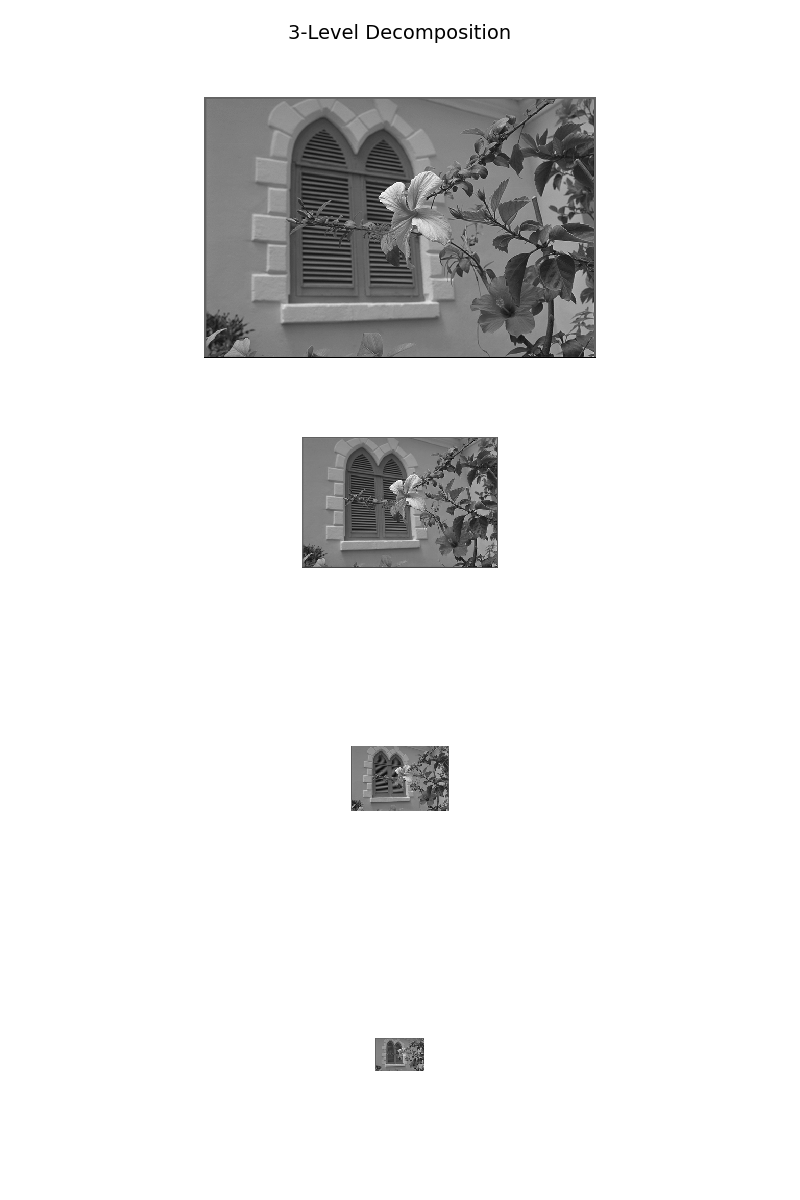
3-Level Decomposition#
show_inverted_pyramid(
    levels, depth=3, fill=1.0, width=base_width, title="3-Level Decomposition"
)
plt.show()
Total running time of the script: (0 minutes 1.254 seconds)
